DicePlayer
Publisher Description
* If you have problems , please uninstall and re-install diceplayer.
* If you have no speed control bar , change "Settings->Select Player" for your file extensions to "Default".
HW Accelerated Video Player with Playback speed control and Network support.
Features
* POP-UP Play
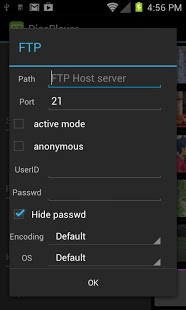
* Network Support : Windows Share / FTP / HTTP / WebDAV
* Multiple audio track
* Multiple subtitle track : external sub also suppoted.
* HW Accelerations : no limitations like a network , containers.
Formats
- AVI,MOV,MKV,FLV,AVI,3GP,3G2,ASF,WMV,MP4,M4V,TS,MTP,M2TS
Playback speed control
- up to x2.0 ( on HW )
- audio pitch correction support
Subtitle format
- SSA,SMI,SRT, VoBSub (beta)
- MKV/MP4 embedded subtitle supported
- Unicode/Multibyte charset supported.
Transport
- HTTP
- RTP/RTSP
- HTTP Live Streaming
- FTP
- Windows Share(SMB)
Unsupported devices
* Allwinner based devices
* Amlogic based devices
* Rockchip based devices
=> Use Stock player options on "Settings" menu
* ST-Erricson NovaThor ( U8500 / U9500 )
=> Need ICS update
Limitations
* Video capability depends on your devices HW video decodes' capability.
- Email address has been changed. If you have questions or suggestions, please contact dice.inisoft@gmail.com.
About DicePlayer
The company that develops DicePlayer is INISOFT_DEV. The latest version released by its developer is 1.0 . This app was rated by 1 users of our site and has an average rating of 5.0.
To install DicePlayer on your Android device, just click the green Continue To App button above to start the installation process. The app is listed on our website since 2014-10-21 and was downloaded 25 times. We have already checked if the download link is safe, however for your own protection we recommend that you scan the downloaded app with your antivirus. Your antivirus may detect the DicePlayer as malware as malware if the download link to com.inisoft.mediaplayer.a is broken.
How to install DicePlayer on your Android device:
- Click on the Continue To App button on our website. This will redirect you to Google Play.
- Once the DicePlayer is shown in the Google Play listing of your Android device, you can start its download and installation. Tap on the Install button located below the search bar and to the right of the app icon.
- A pop-up window with the permissions required by DicePlayer will be shown. Click on Accept to continue the process.
- DicePlayer will be downloaded onto your device, displaying a progress. Once the download completes, the installation will start and you'll get a notification after the installation is finished.
Program Details
System requirements
Download information
Pricing
Version History
version Varies with device
posted on 2014-10-21
version 2.0.30
posted on 2013-05-28
Several fixes and updates
